Getting a hiring pipeline report
Last updated: April 22, 2025
Getting a hiring pipeline report requires connecting your ATS (Applicant tracking system). Learn how to do that here.
While some of the ATS platforms that you may use can give you a shareable hiring pipeline, few of them give you the flexibility to see all the roles and all the candidates and give you a shareable Excel download.
Nova makes this easy. Once you've connected your ATS, just ask Nova:
I need a hiring pipeline report
Hit Enter or Return and you'll get:
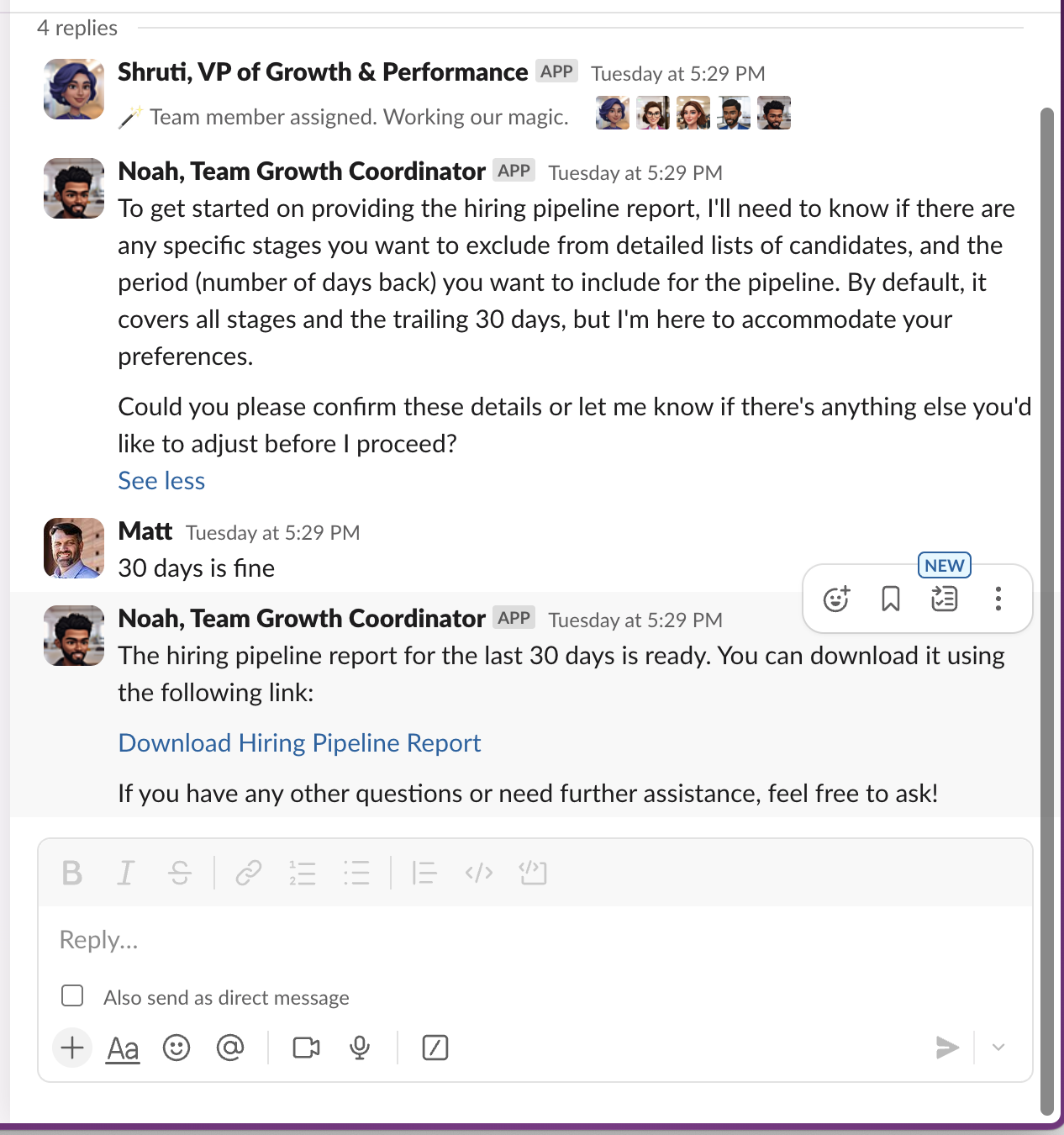
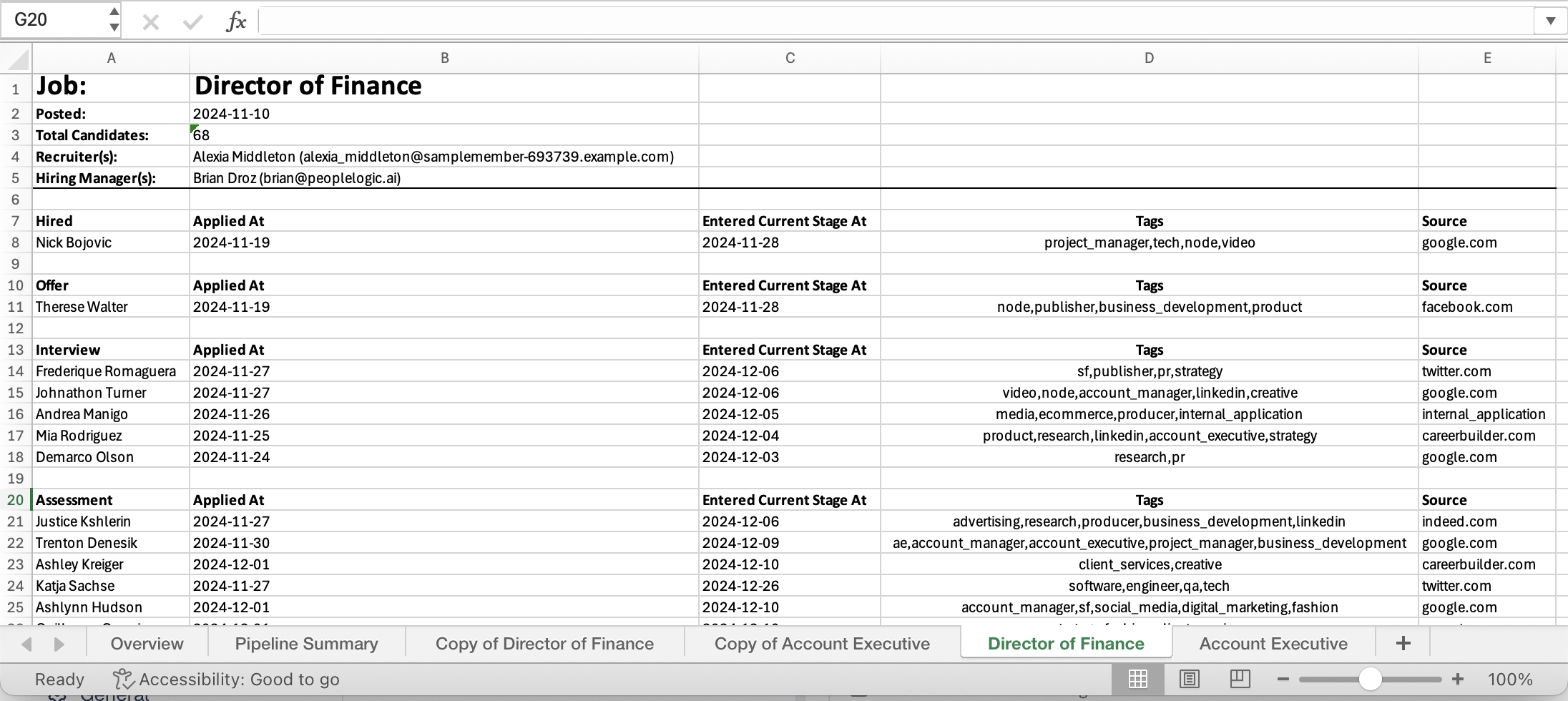
As you can see, Nova prompts you for the time frame for the report and whether you'd like to only include candidate details for certain stages of the hiring pipeline. It even recognizes when different jobs have different stages! Here's an example report:
👉 Coming Soon
Reports are only as good as the actions you take from them. Soon Nova will provide some recommendations on things to pay attention to or actions to take based on the data.