Making pulse surveys actionable
Last updated: February 27, 2025
Nova makes it easy to analyze survey and pulse survey results, identifying key themes, sentiment trends, and actionable next steps. By uploading your survey data, Nova provides insights that help you address engagement challenges and improve team well-being.
Upload Survey or Pulse Survey Results:
Upload your survey data in CSV or Excel format.
Ensure the file includes relevant columns, such as:
Employee Name (if applicable)
Survey Questions
Responses (Numerical ratings or text feedback)
Department/Team (optional for segmented analysis)
Example Prompt: Upload my Q2 employee pulse survey and summarize key themes.
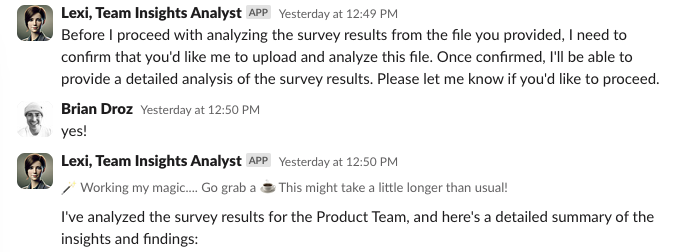
Expected Output: Nova processes the survey results and identifies recurring themes, sentiment trends, and engagement risks. Displaying the information in the following format:
1. Overall Summary
2. Strengths
3. Pain Points
4. Specific Insights
5. Next Steps
Potential Follow-Up Prompts:
Follow-Up Prompt: Can you create a new set of questions to ask based on the last surveys results?
Follow-Up Prompt: Which teams reported the lowest engagement scores?
Follow-Up Prompt: Which factors contributed to low engagement scores on the Sales team?
Follow-Up Prompt: What actions can I take to address survey feedback?