HR Policies Made Easy
Last updated: April 17, 2025
📝 How to Create a New Policy with Nova
Nova makes it easy to create custom company policies—right from Slack or the web app.
Step-by-Step:
Start with a Request Simply ask Nova:
“I need help creating a new policy”
or
“Create a PTO policy for me”Provide Basic Info Nova will ask for a few key details to tailor the policy to your organization. Be ready to share:
Policy Topic (e.g., PTO, remote work, AI usage)
Format (PDF or Word)
Company Info (name, size, industry, location)
Audience (e.g., all employees, managers, HR only)
Legal Considerations (if applicable)
Example Scenarios or Core Values (optional)
Additional Details (e.g., days off, consequences for non-compliance)
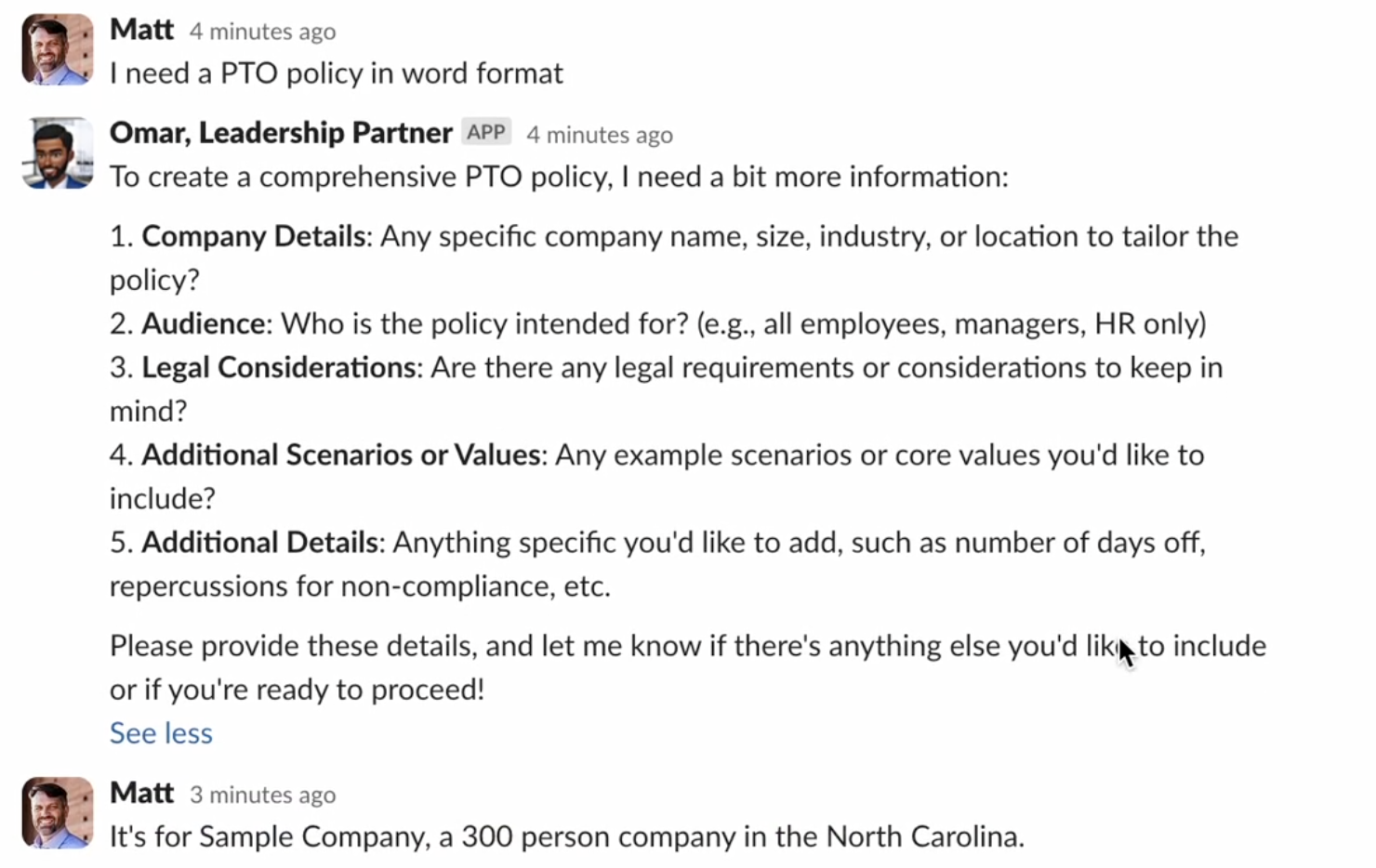
Confirm & Customize Nova will summarize what you’ve provided and ask if you’d like to continue or edit anything. You can review and make changes before the policy is finalized.
Generate & Download Once confirmed, Nova will generate your policy and provide a downloadable link (valid for 10 minutes).
Example:“Your PTO policy is ready! 🎉 [Download PTO Policy]”
💡 Pro Tip:
The more context you give, the more customized your policy will be. But even if you're short on time, Nova can generate a solid draft with just a few inputs—and you can always edit later.
Coming Soon 🔜
Got policies that need refreshing? Nova will soon help you update existing documents in seconds.
Just upload your current policy—Nova will:
✅ Review the content and identify outdated sections
✅ Recommend updates based on new legal, regional, or company-specific requirements
✅ Rewrite the policy in your preferred tone and format
✅ Highlight changes for easy approval
No more version control chaos or hours spent rewording policies.
Coming soon to Slack, web, and email.
Because updating policies should be as easy as creating them.