“My Objectives”
There are 3 different lenses to view Objectives with:
- All (public) objectives
- My objectives
- My key results
📽 Check out our video tutorial on how to switch between objective views in IMPACT.
📝 Here is a step-by-step guide on how to switch between objective views in IMPACT:
- Navigate to https://app.plai.team/
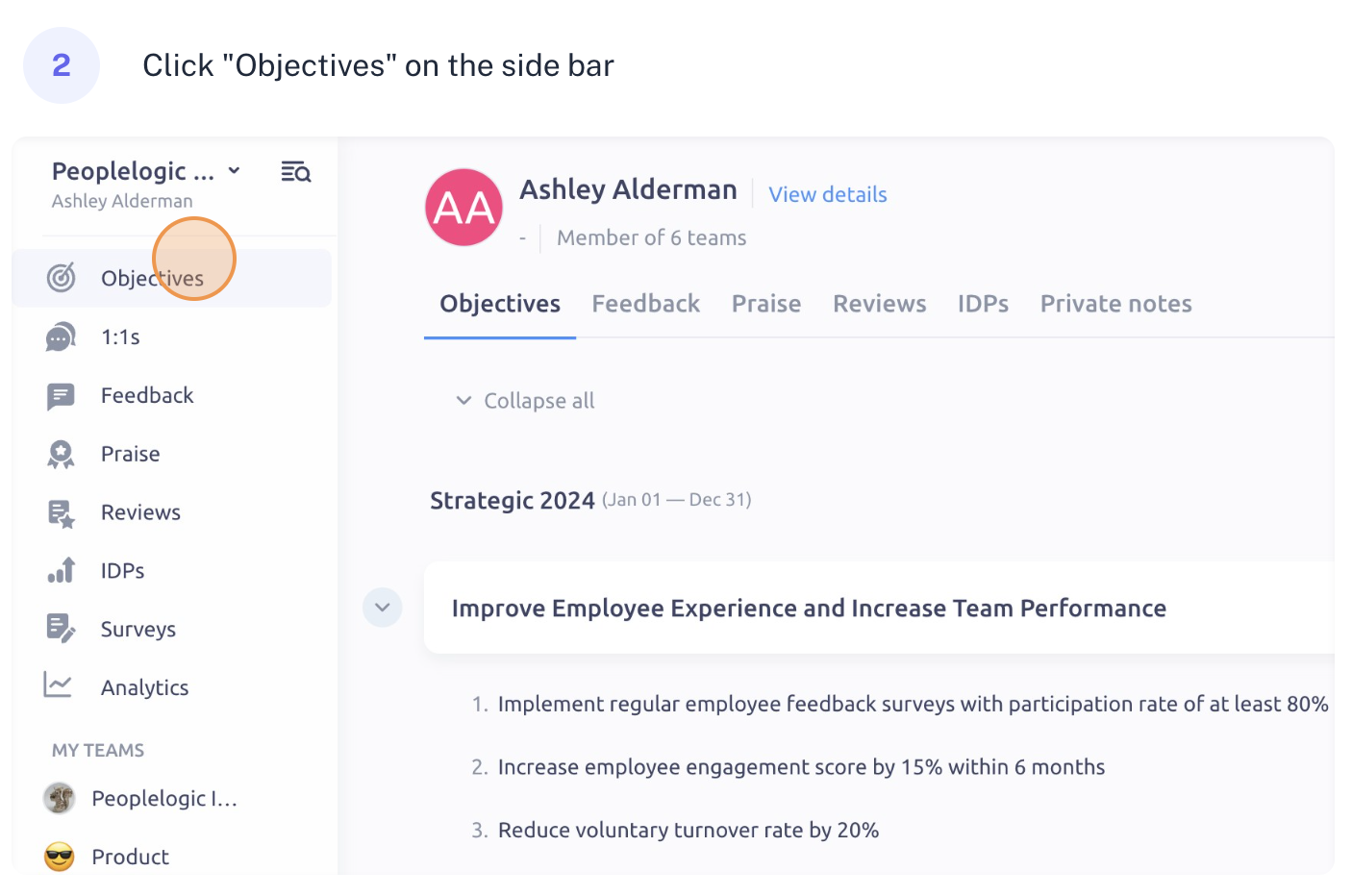 2. Click "Objectives" on the side bar
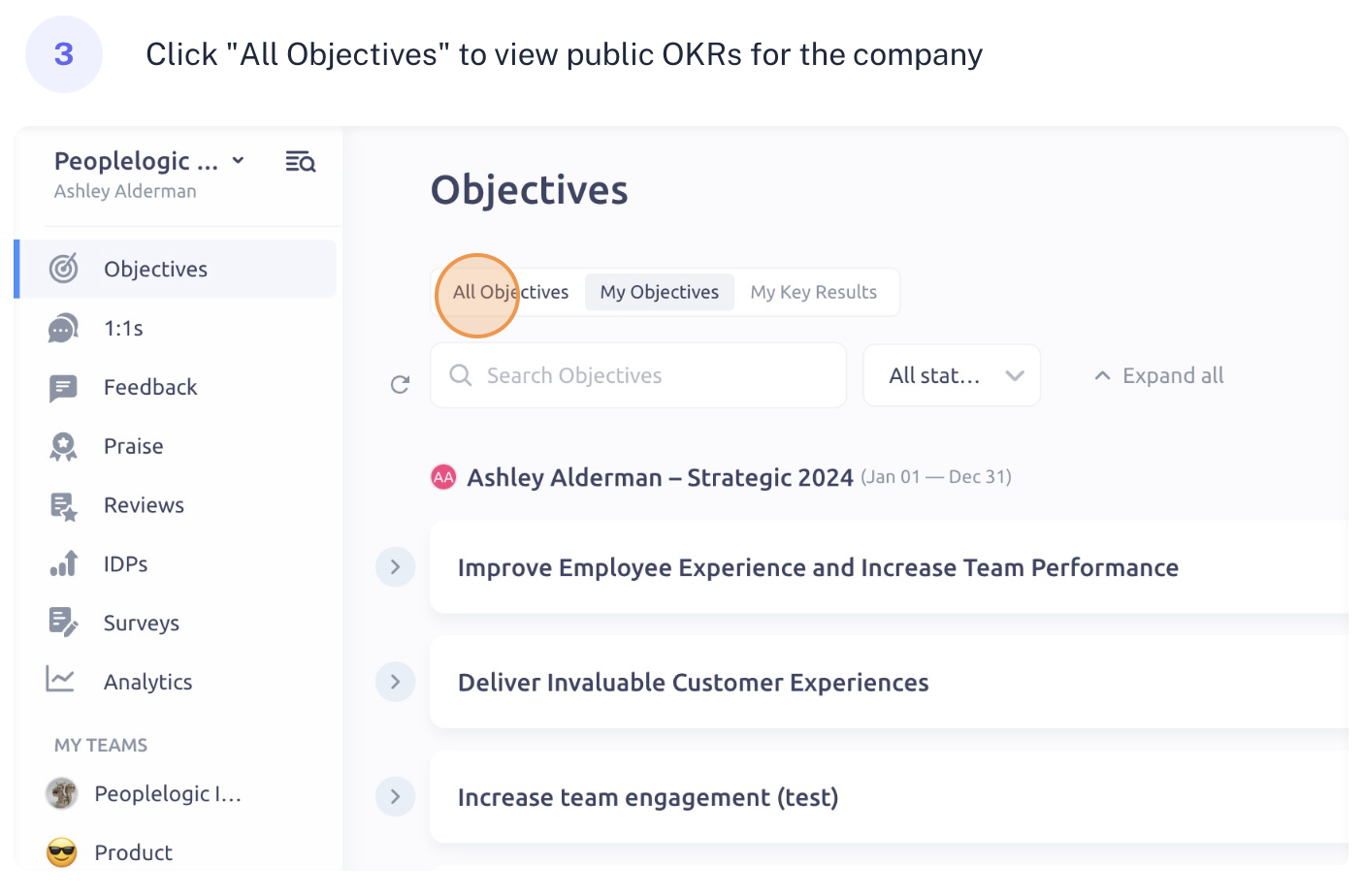 3. Click "All Objectives" to view public OKRs for the company
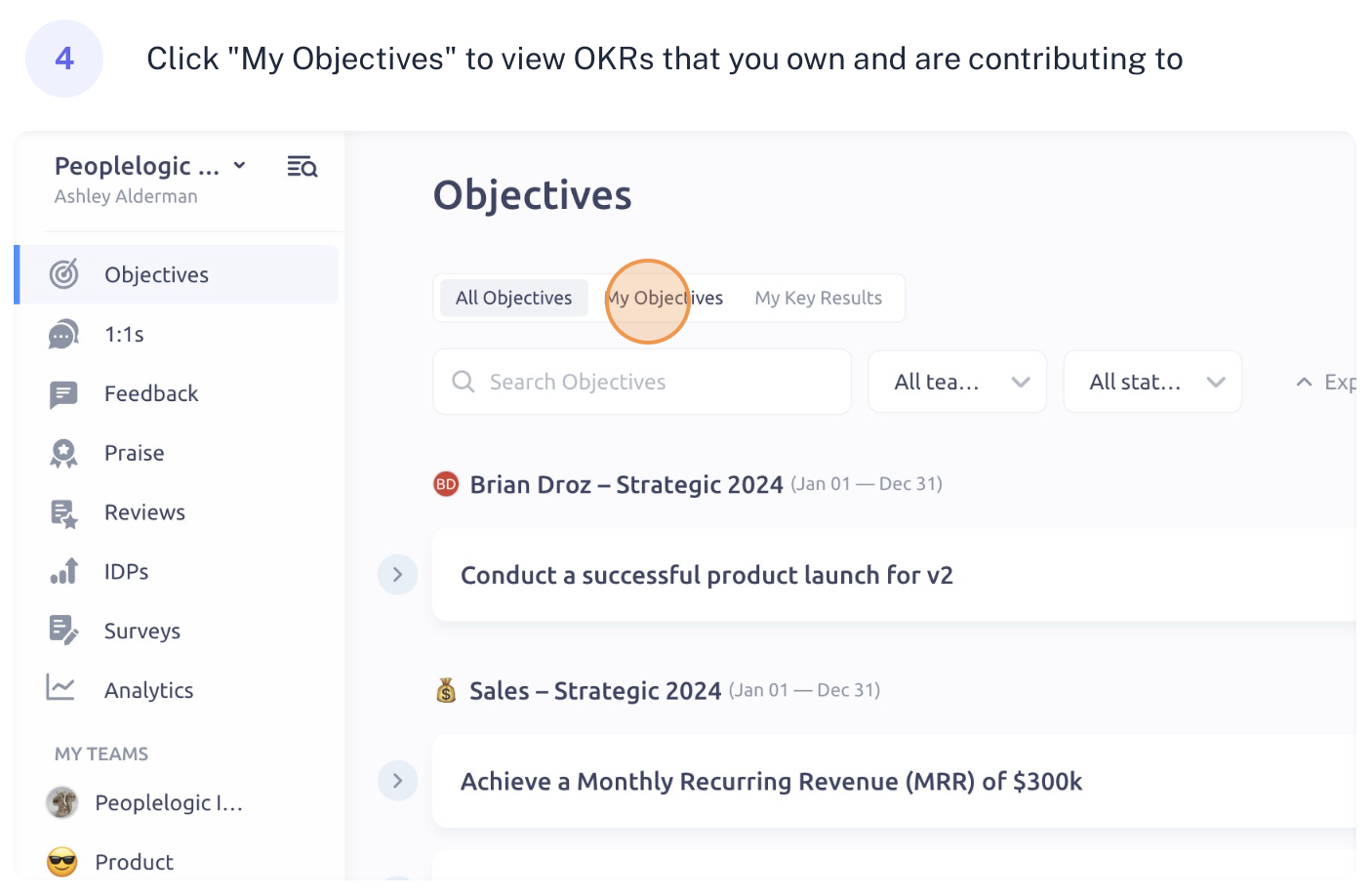 4. Click "My Objectives" to view OKRs that you own and are contributing to
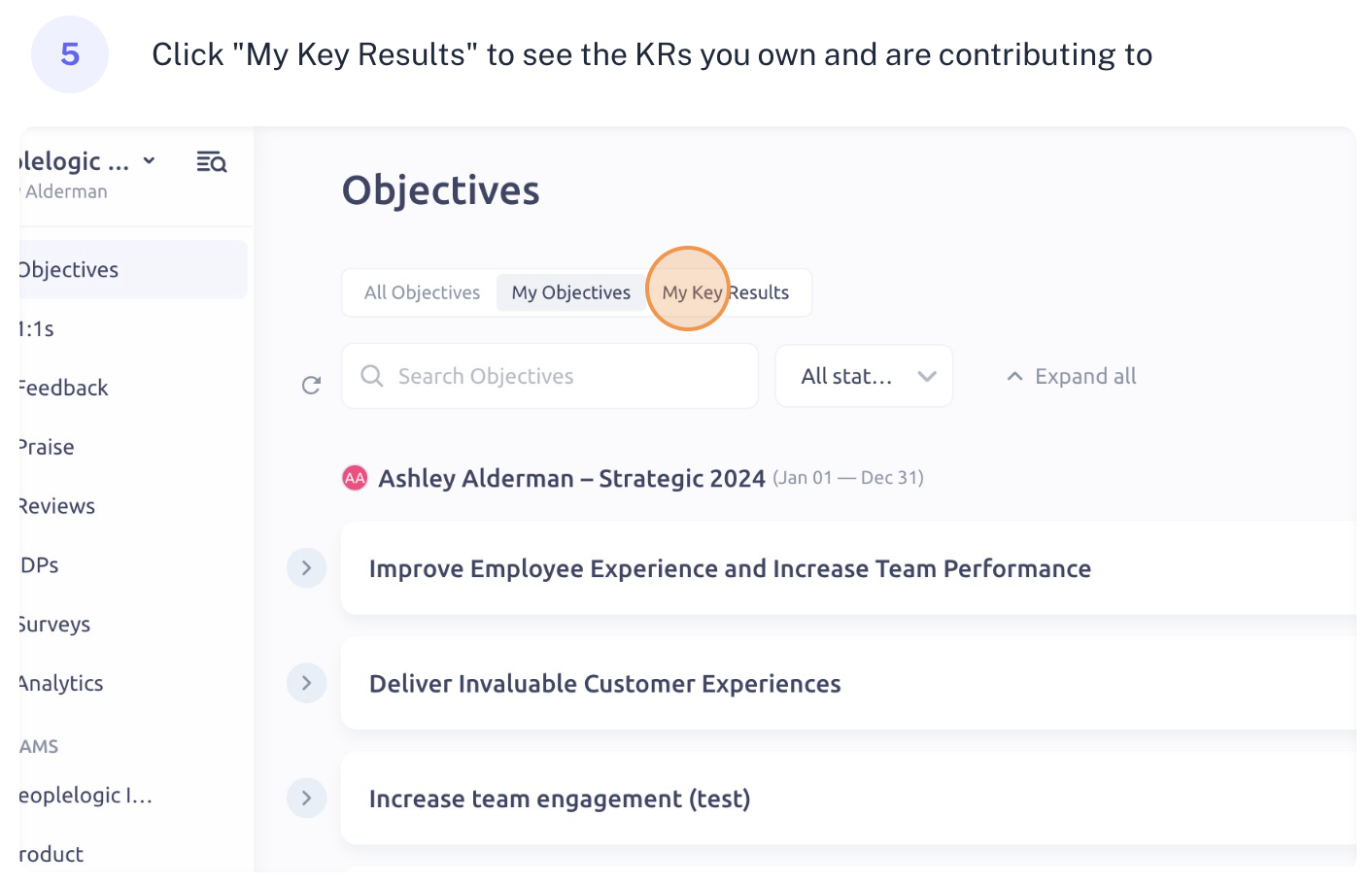 5. Click "My Key Results" to see the KRs you own and are contributing to
Updated on: 07/05/2026
Thank you!