Customizing Notifications in IMPACT
You can configure notifications you receive from IMPACT in the Notification settings. Go to Menu → Edit profile → Notifications to update your settings.
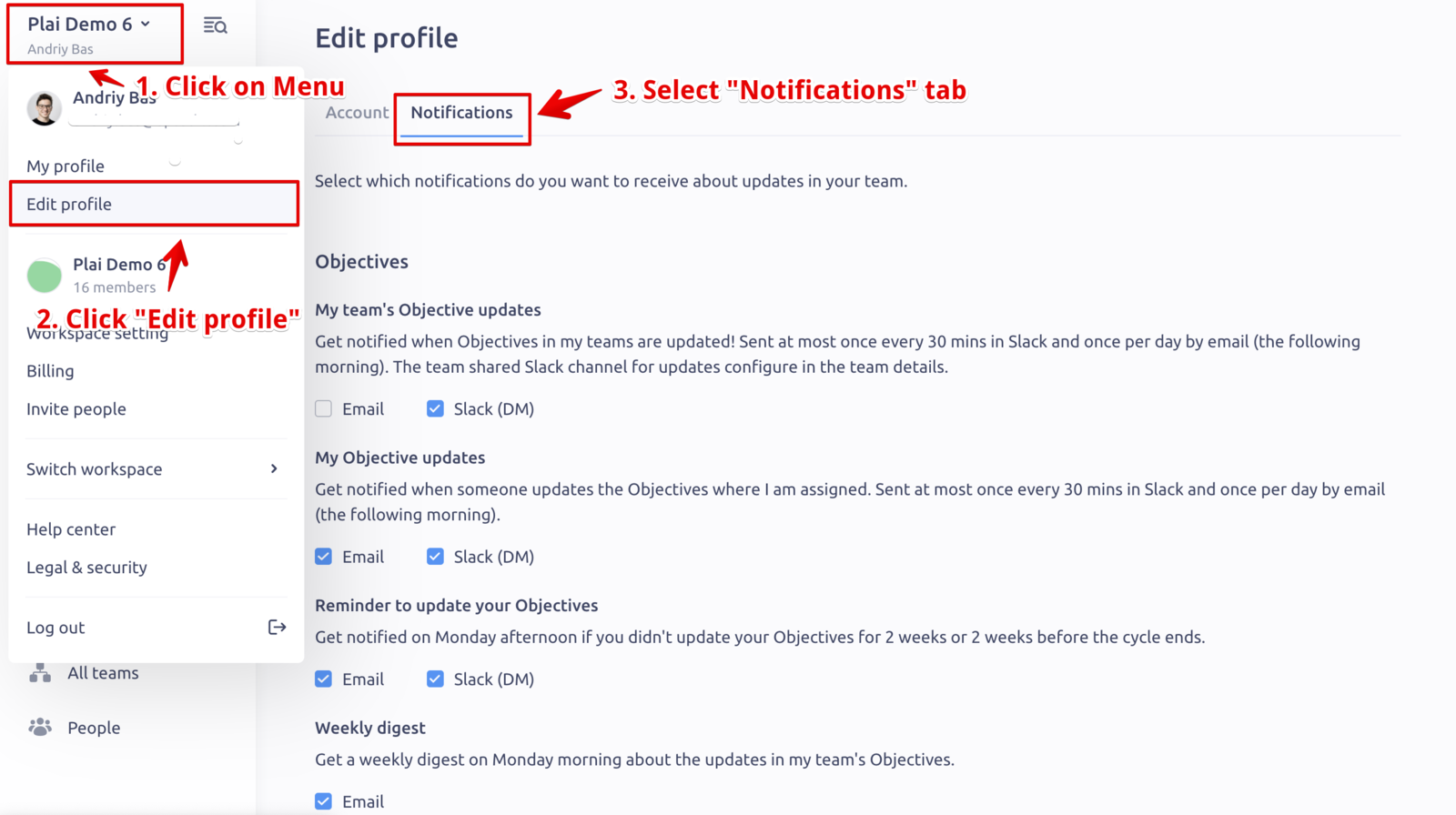
There are several categories of notifications:
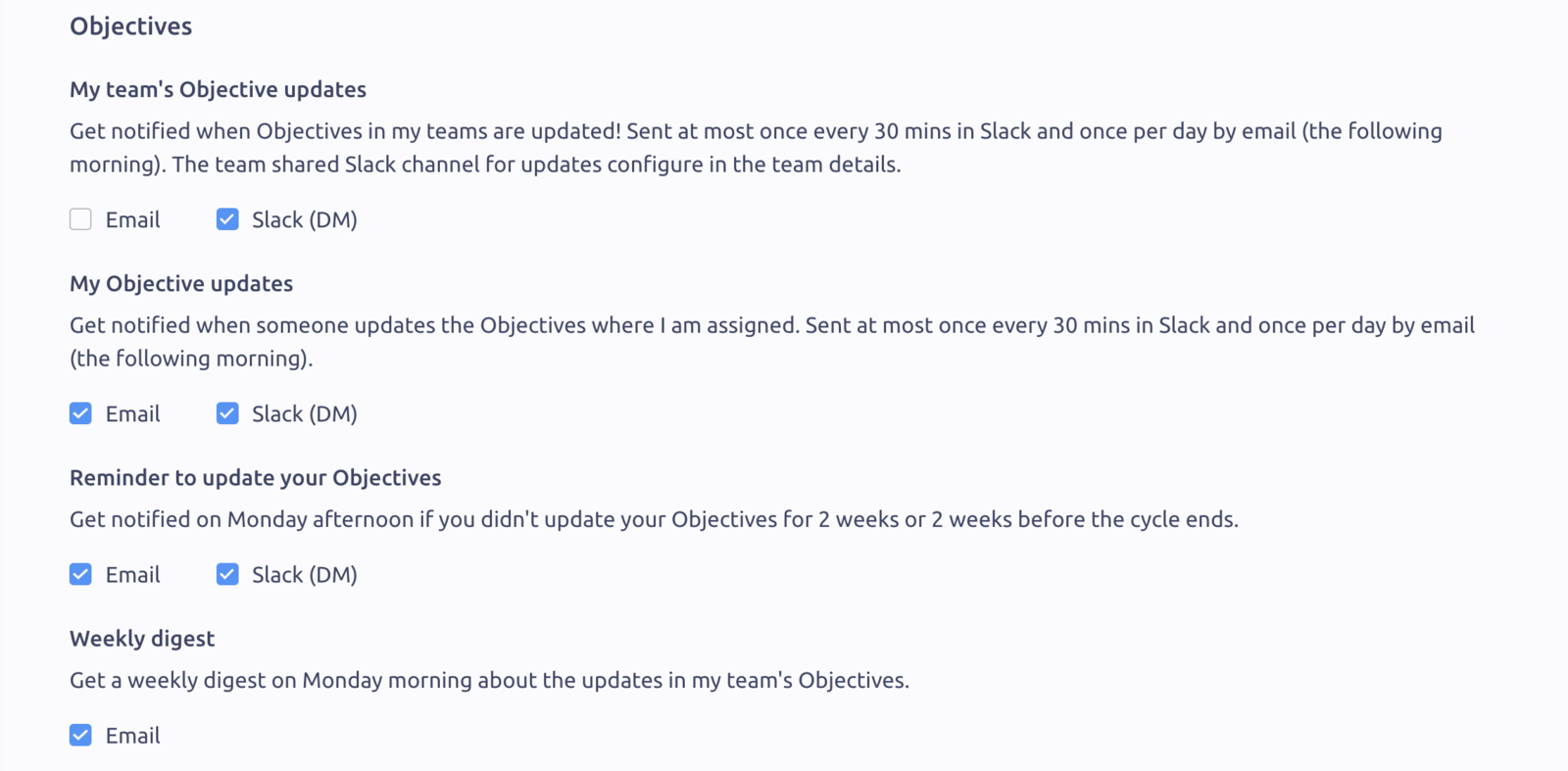
1. Objectives
These are notifications about activities in your Objectives, your team Objectives, or reminders to set/update your Objectives
2. Feedback
Notifications about the new feedback requests or about the new feedback you receive in IMPACT.

3. Praise
Notifications about the Praise you receive in IMPACT.

4. General
Newsletters and product updates about the new features in IMPACT.

If Admins connected Slack to our workspace, you can select to receive each of these notification types in Slack (in Direct Messages).
👆 Note: There are also notifications about the Reviews in your workspaces. You cannot choose to receive or not receive notifications about the reviews; only HR admins control reviews and notifications about them.
Updated on: 07/05/2026
Thank you!