How to Edit Team Emojis in Impact
Sometimes, a symbol or emoji is all it takes to give a brief overview of what a team is about. In IMPACT, you can easily change your team emojis to reflect your team's essence.
📽 Check out our video tutorial on editing team emojis in IMPACT
📝 Here is a step-by-step guide on how to edit team emojis in IMPACT
- Navigate to** https://app.plai.team/**
- On the left-side panel, click "All teams"
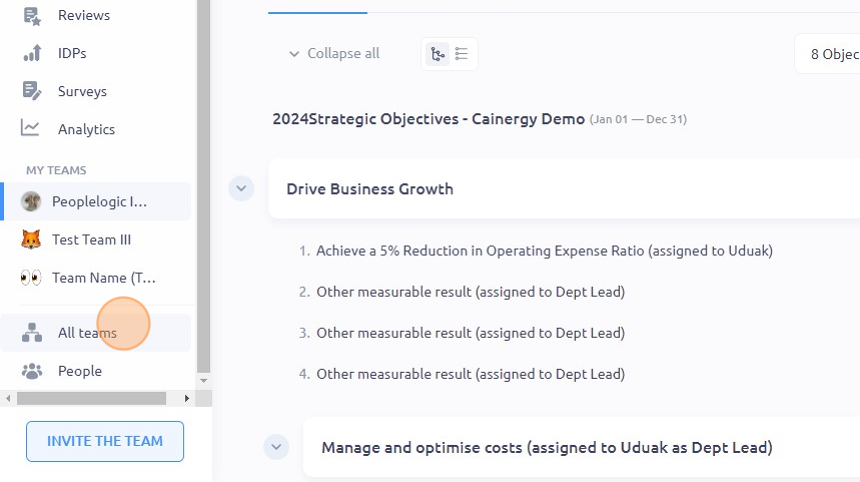
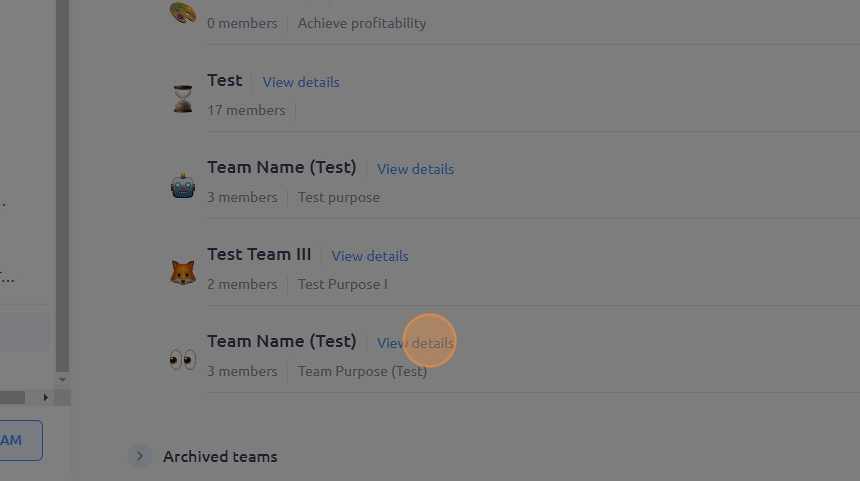
- Navigate to the team you want to edit and click "View details"
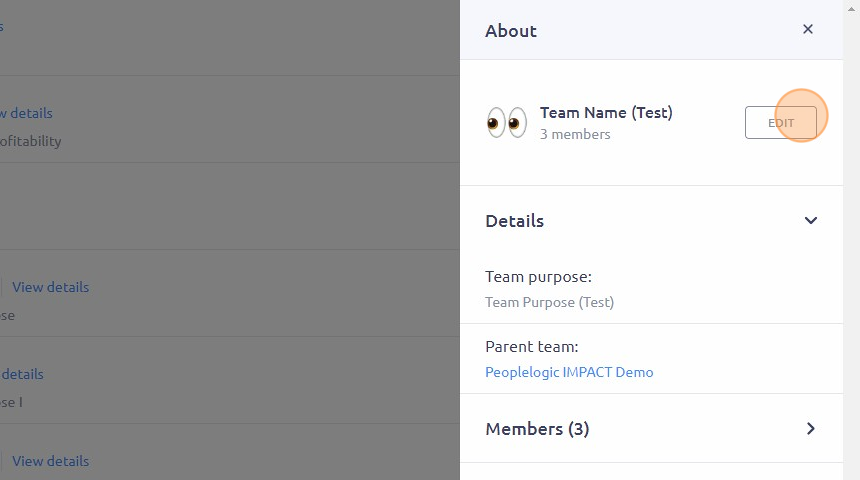
- Click "EDIT"
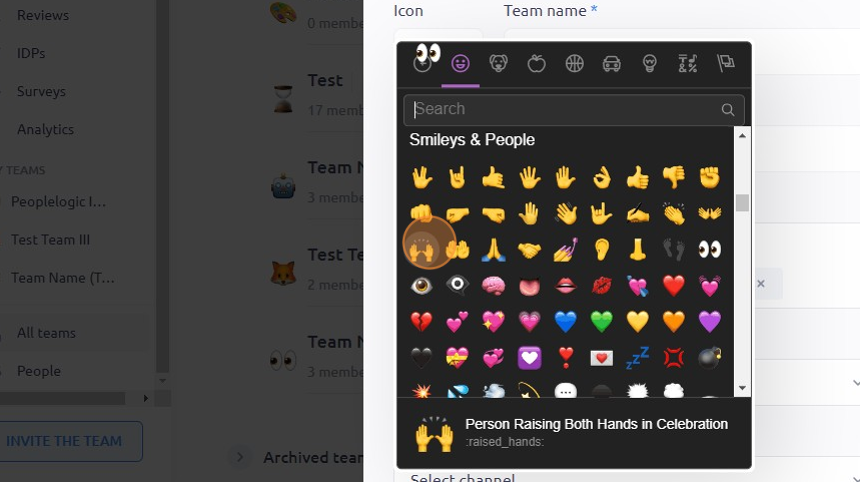
- Click on the emoji you want to replace
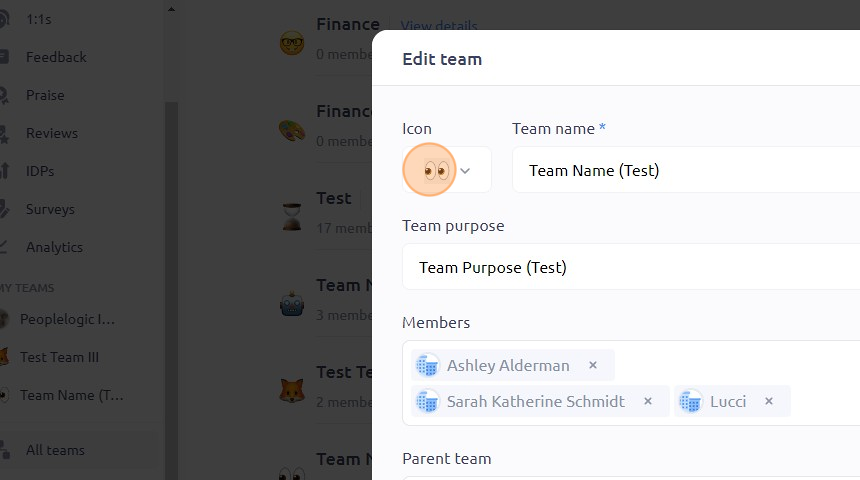
- Choose a new emoji from the available choices
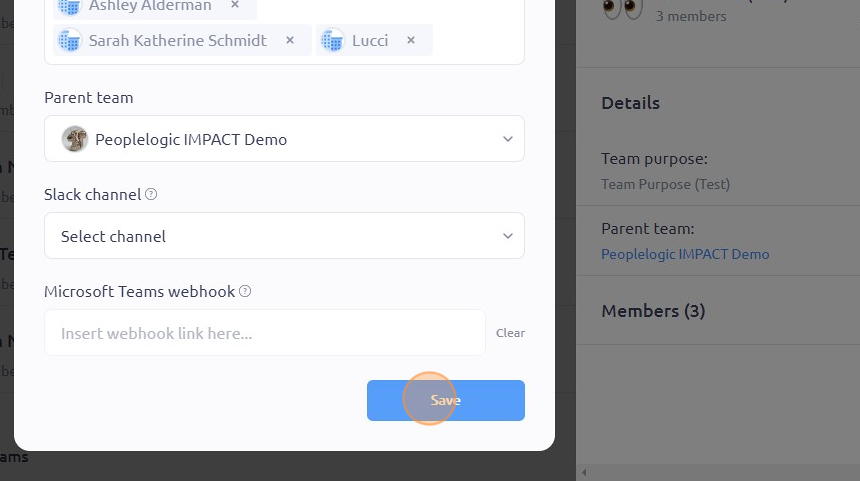
- Click "Save"
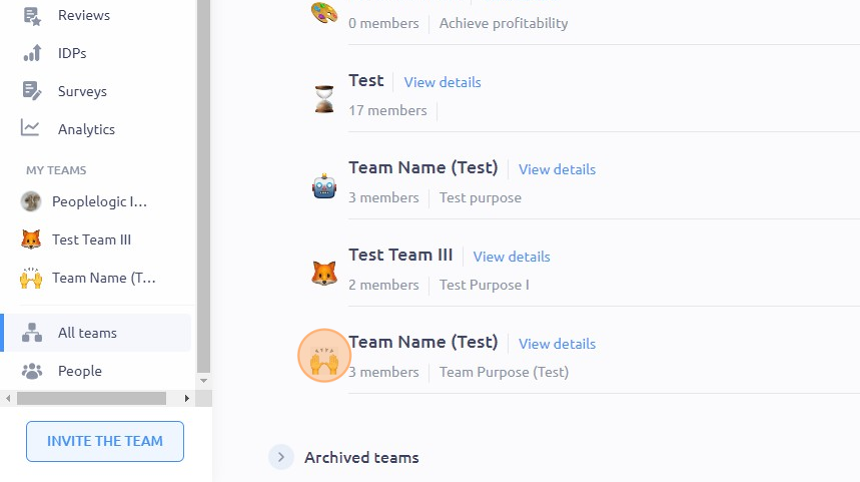
- The changes you made should reflect immediately
To see it in action, please visit Peoplelogic Learn.
Updated on: 07/05/2026
Thank you!