How to Connect Your Calendar for 1:1 Meetings
Connecting your calendar for 1:1 meetings is crucial for syncing up your schedule with other people. It allows for better collaboration ang efficiency between employees.
📽 Check out our video tutorial on how to connect your calendar for 1:1 meetings.
📝 Here is a step-by-step guide in connecting your calendar for 1:1 meetings:
1. Navigate to** https://app.plai.team/**
2. Click "Connect calendar event"
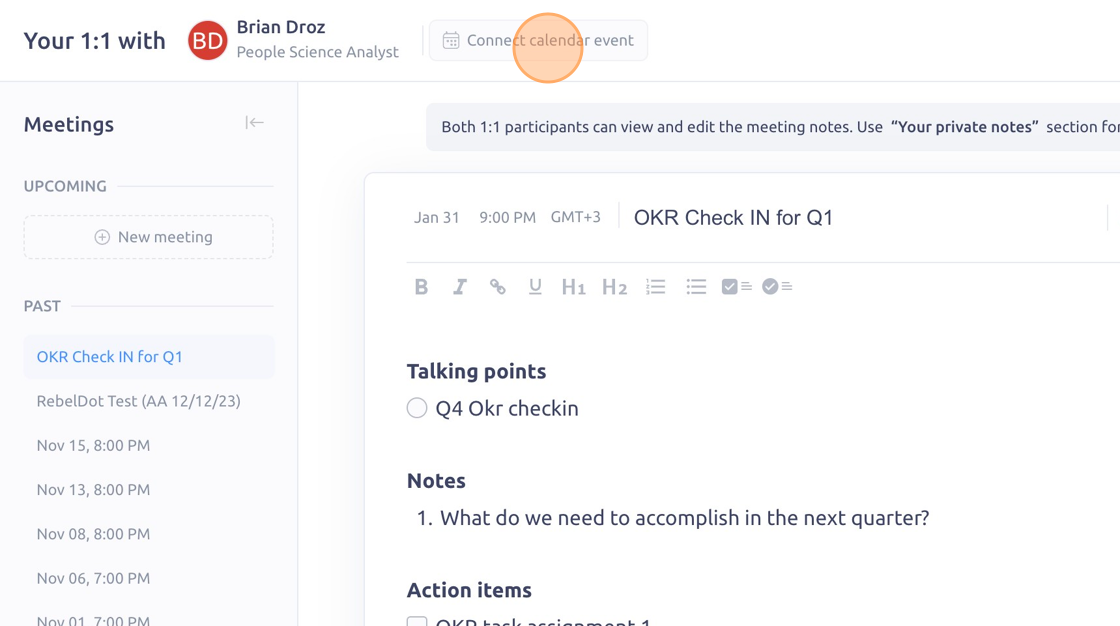
3. Choose the calendar event that correlates with your 1:1 Meeting
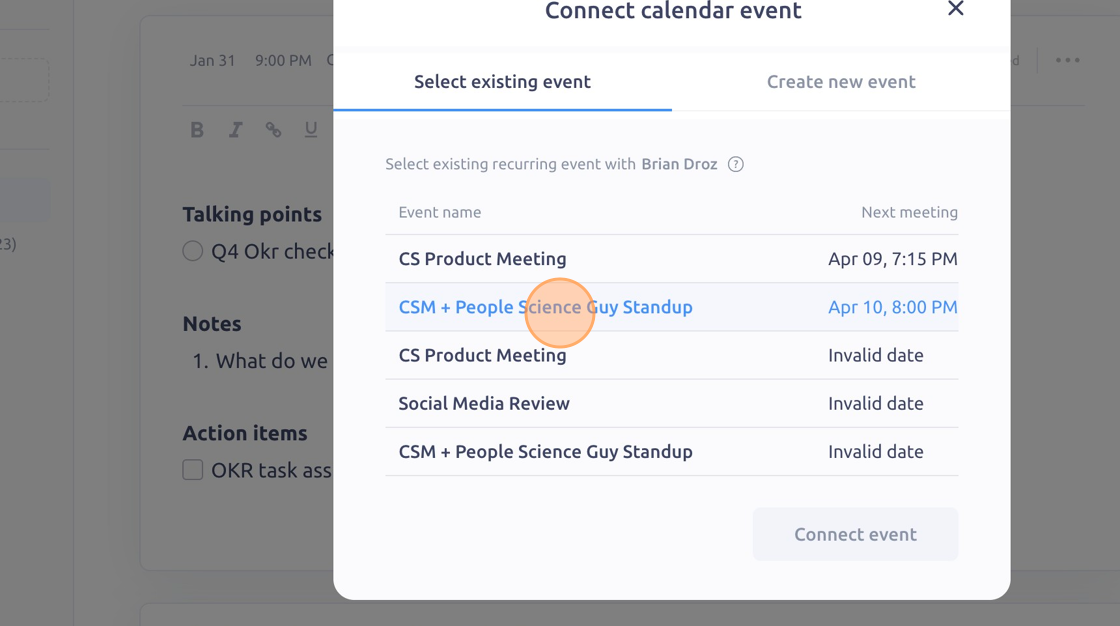
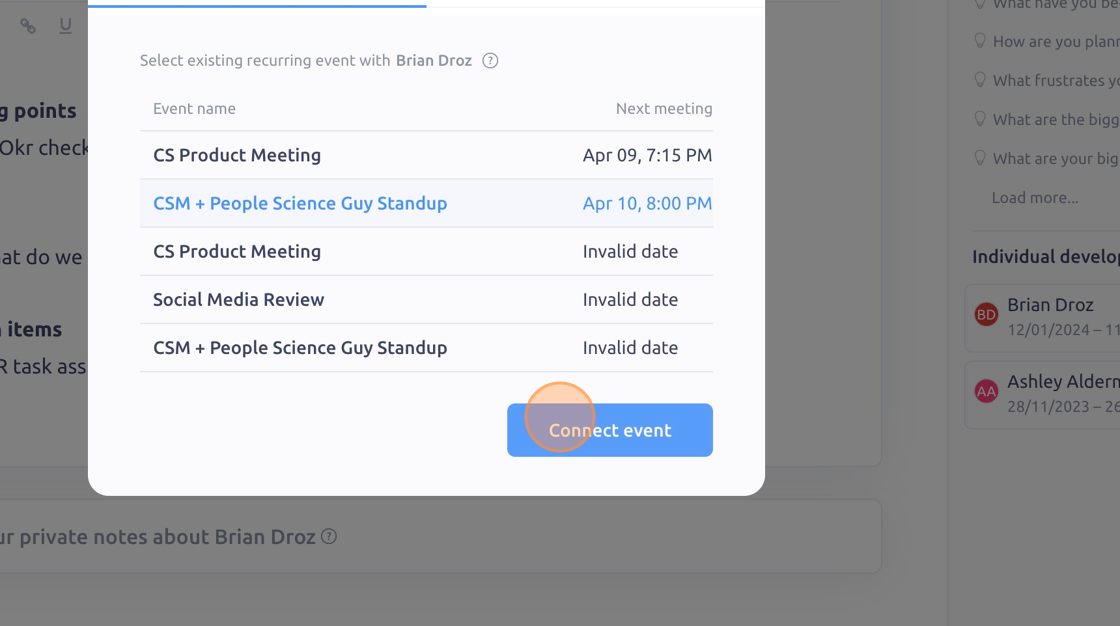
4. Click "Connect event"
5. You should then see the calendar event listed as the calendar icon
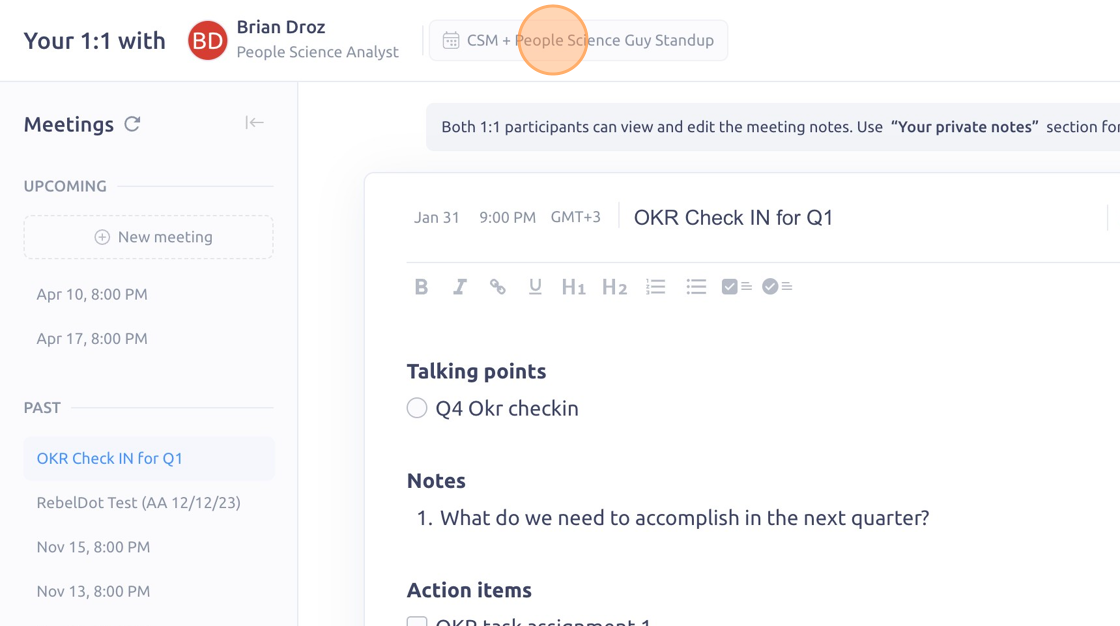
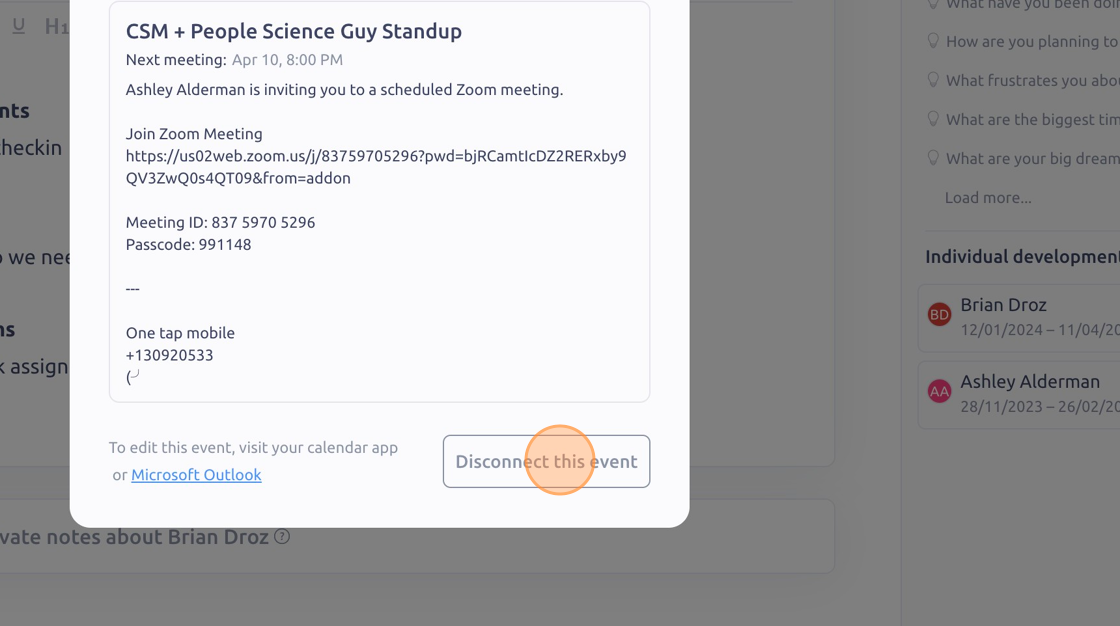
6. To disconnect a meeting event, click the calendar icon, then click "Disconnect this event"
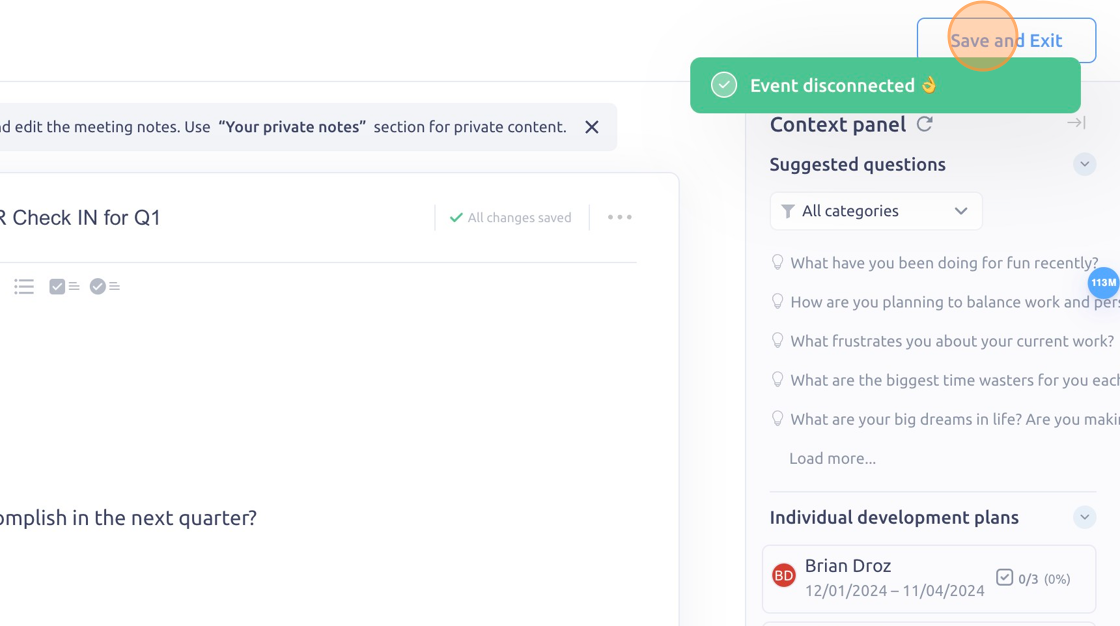
7. Click "Save and Exit"
To see it in action, please visit** Peoplelogic Learn**.
Updated on: 07/05/2026
Thank you!