Delete Workspace in IMPACT
If you don’t need the IMPACT workspace anymore - no worries. You can always delete it.
Go to Menu -> Workspace settings -> Delete workspace.
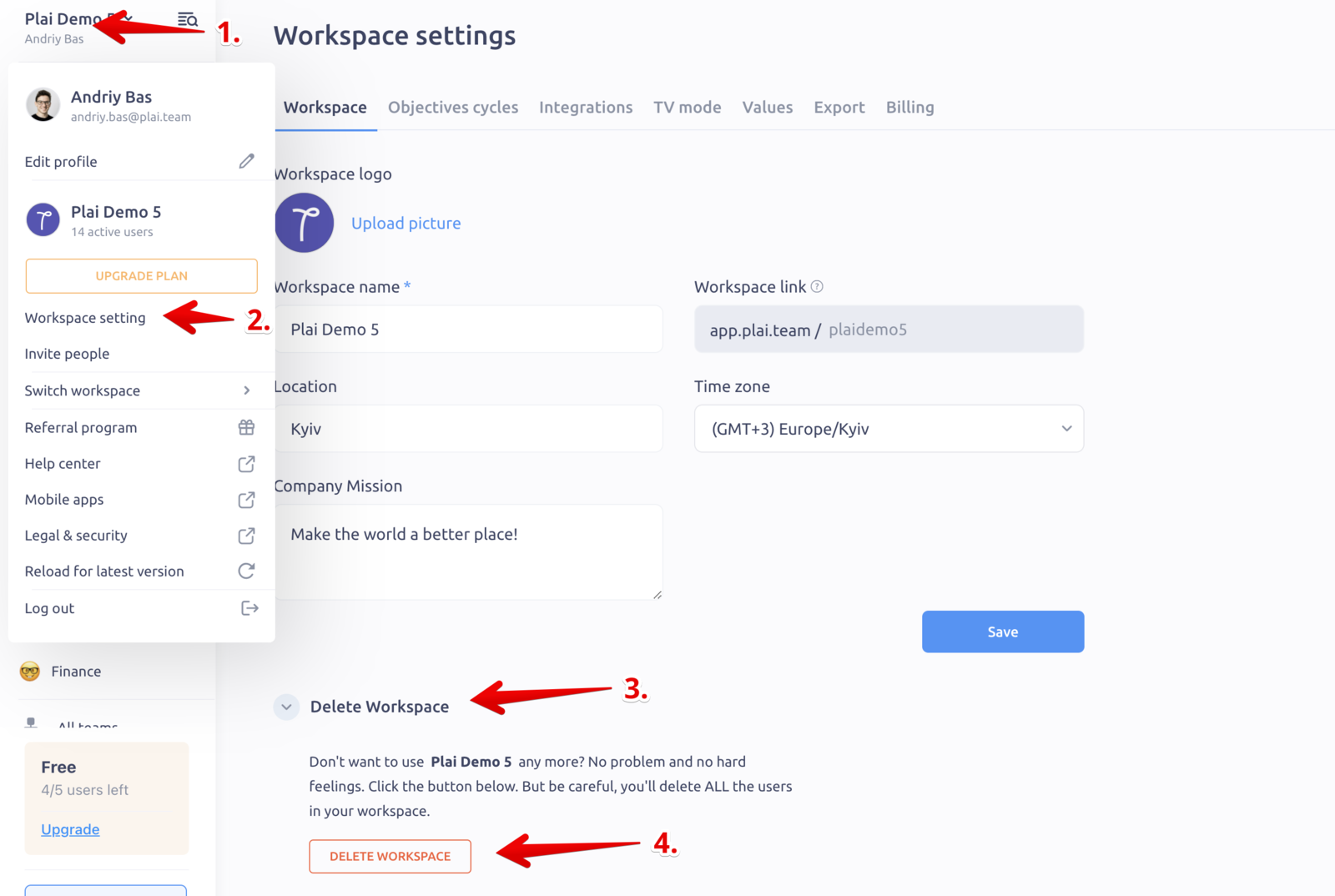
👆Note: when you confirm and delete your workspace, all your data and users in this workspace will be removed forever, it won’t be possible to restore it.
👆Note 2: you can only delete workspace on the Free plan. If you have an active subscription in IMPACT — cancel the subscription first, and then delete the workspace.
Updated on: 07/05/2026
Thank you!