Creating OKRs with AI
🎈Create OKRs with IMPACT AI
Save time on goal-planning and create well-defined OKRs based on your requirements with smart AI suggestions.
Access the AI assistant by clicking the "OKR Templates (AI)✨" button.
Write a prompt that specifies the details of your goal, and our AI will create an OKR for you. Request further improvements with the button “Regenerate OKR” or simply click the "Use this OKR" button to add it to your current OKR cycle.
💡To improve your AI-generated OKR results, provide as many details about goals as possible in your prompt, such as your team, general goals/direction you are working towards, deadline, activities, etc. Alternatively, you can use one of our suggested OKR prompts for Marketing, Sales, People Ops, Finance, or Engineering departments.
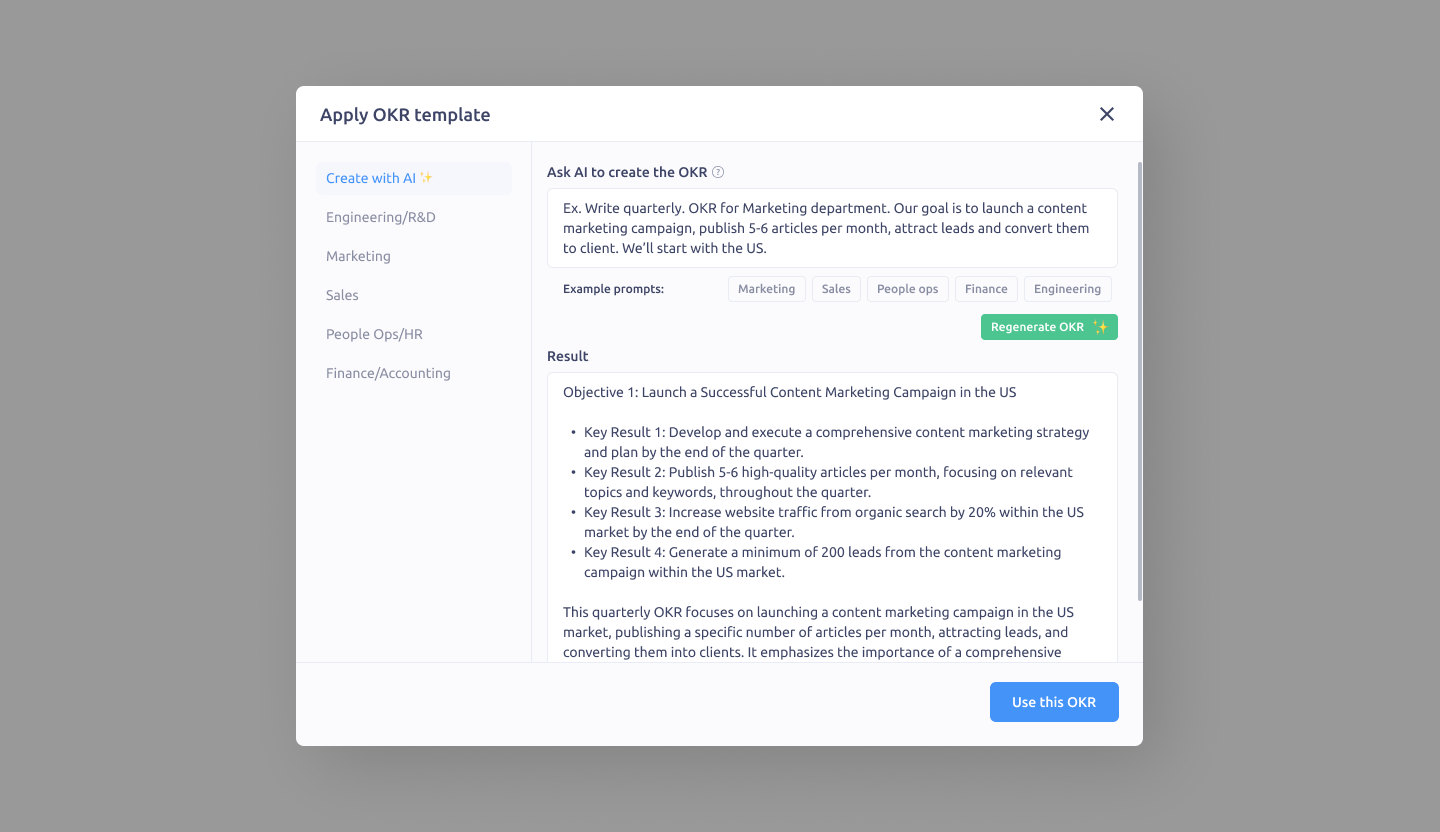 Create OKR with AI in IMPACT
Updated on: 07/05/2026
Thank you!