Crafting job descriptions for your organization
Last updated: April 22, 2025
One of the more tedious tasks for HR leaders is crafting a job description. Whether it's for a new position or because you need to create descriptions for all your existing roles, Nova makes it easy to create them—right from Slack or the web app.
Step-by-Step:
Start with a Request Simply ask Nova:
“Help me create a new job description”
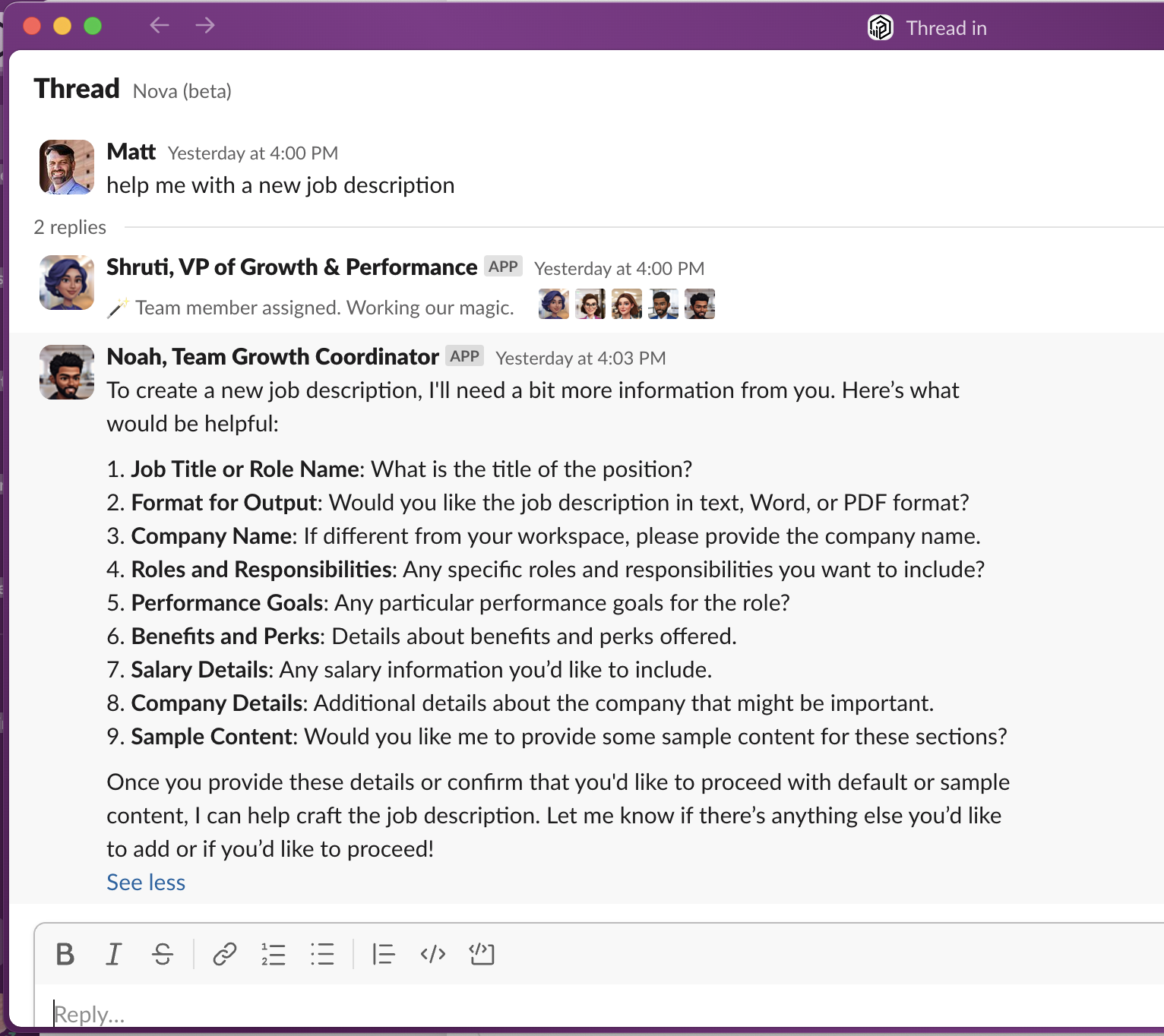
Provide Basic Info Nova will ask for a few key details to tailor the description to your organization. Where possible, it'll use the information that you already uploaded. Be ready to share:
Job Title or Role Name (e.g., What is the title of the position?)
Format (text, PDF or Word)
Company Info (If different from your workspace, please provide the company name.)
Optionally provide, Roles and Responsibilities, Performance Goals, Salary Details and any additional Company Details.
Nova will even ask if you'd like it to include some sample content in those fields.
Confirm & Customize Nova will summarize what you’ve provided and ask if you’d like to continue or edit anything. You can review and make changes before the description is finalized.
Generate & Download Once confirmed, Nova will generate your new job listing and provide a downloadable link (valid for 10 minutes).
Example:Your new job description for the Banquet Event Staff position is ready! You can download it using the following link: [Download Job Description]. Please note that the link will be active for the next 10 minutes. Let me know if there's anything else you need!
Coming Soon 🔜
Crafting the new job description is just the first step! Nova will soon prompt you to connect to your ATS and automatically upload the new description and create a public job listing for you. 🙌
Coming soon to Slack, web, and email.