Working with Nova in your native tongue
Last updated: May 12, 2025
In addition to being an HR expert, Nova is also mutlilingual. You can easily tell Nova your preferred language at any time. How you do that depends on whether you're in Slack or the native web application. Here's what you do:
Inside the Nova application
To get started, open the Nova application in your browser. After logging in, navigate to Settings->Localization. You should see a screen like below:
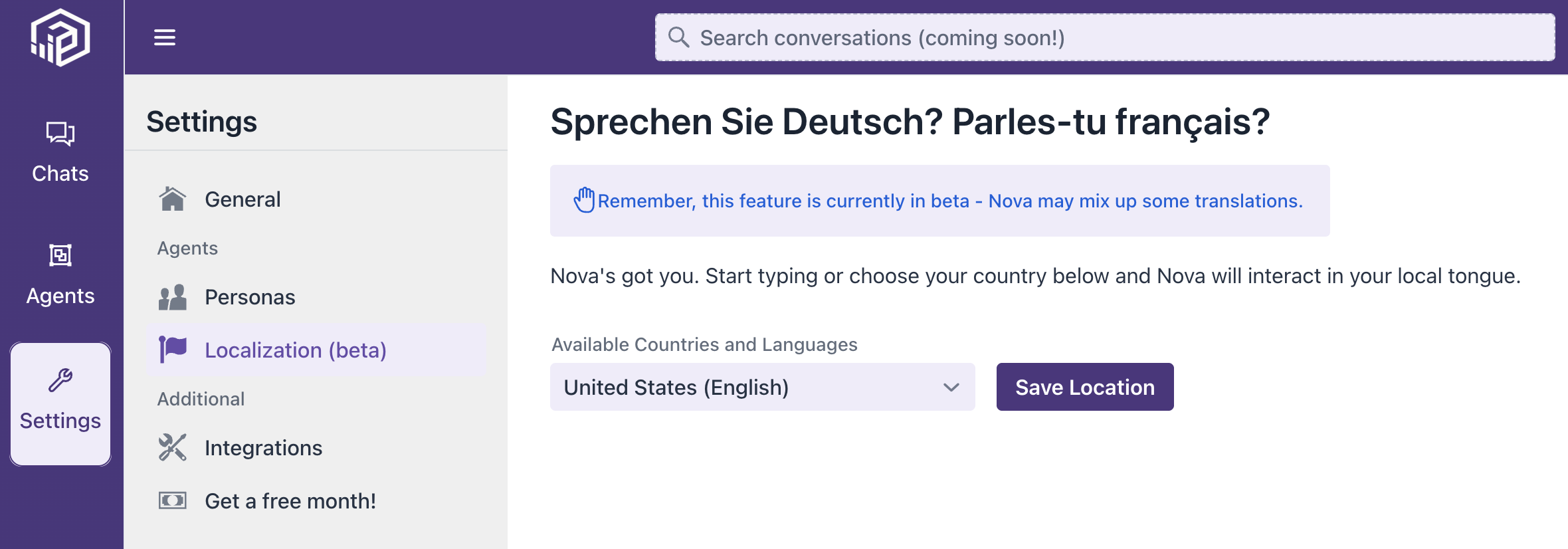
Start typing your preferred location and then hit Save Location.
Inside Slack
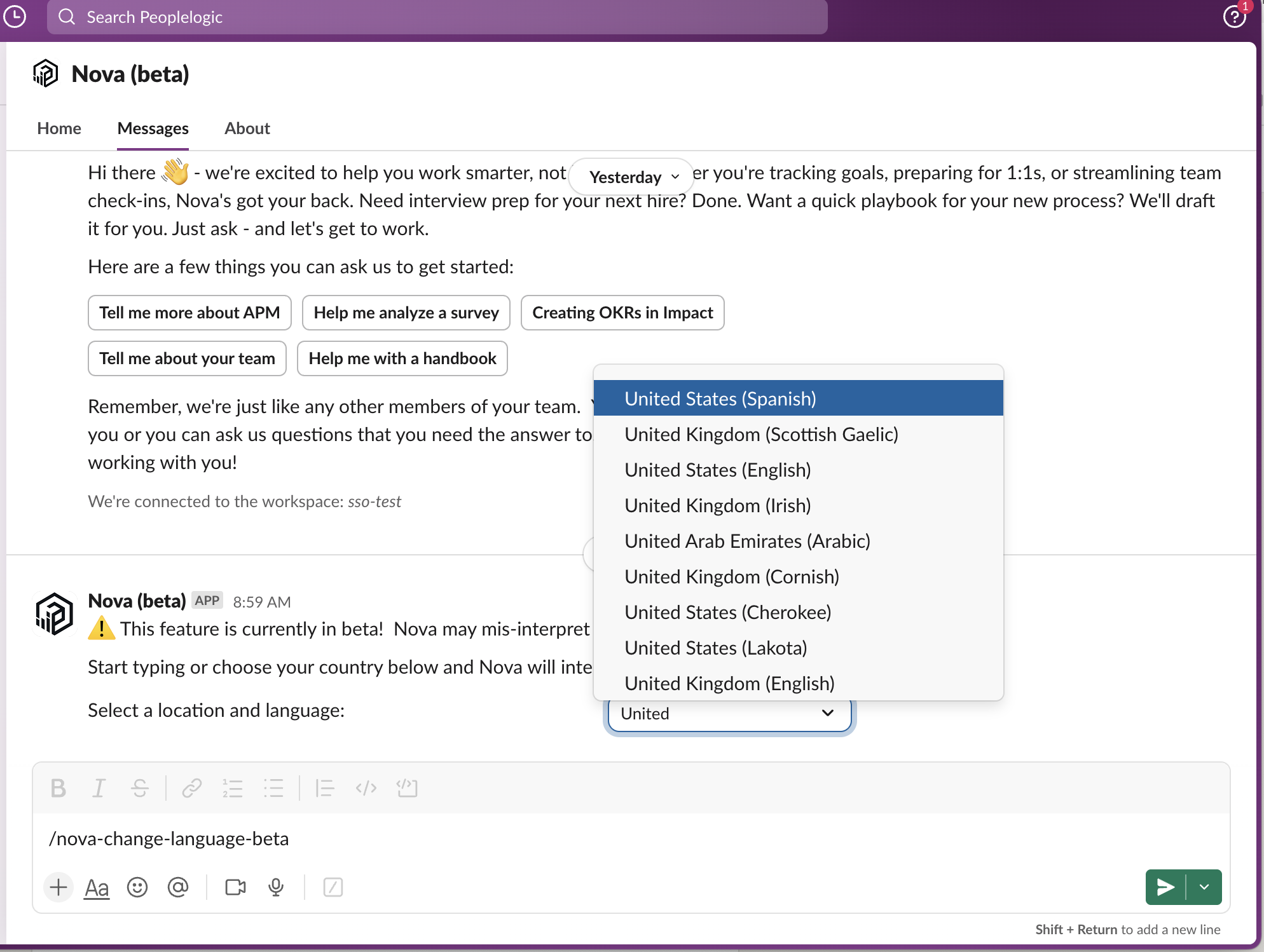
If you're a slack user and have Nova installed, setting your location is easy. Just type:
/nova-change-languageIt'll show you a simple dialog like below. Select your preferred language and you're off to the races.
Seeing it in action
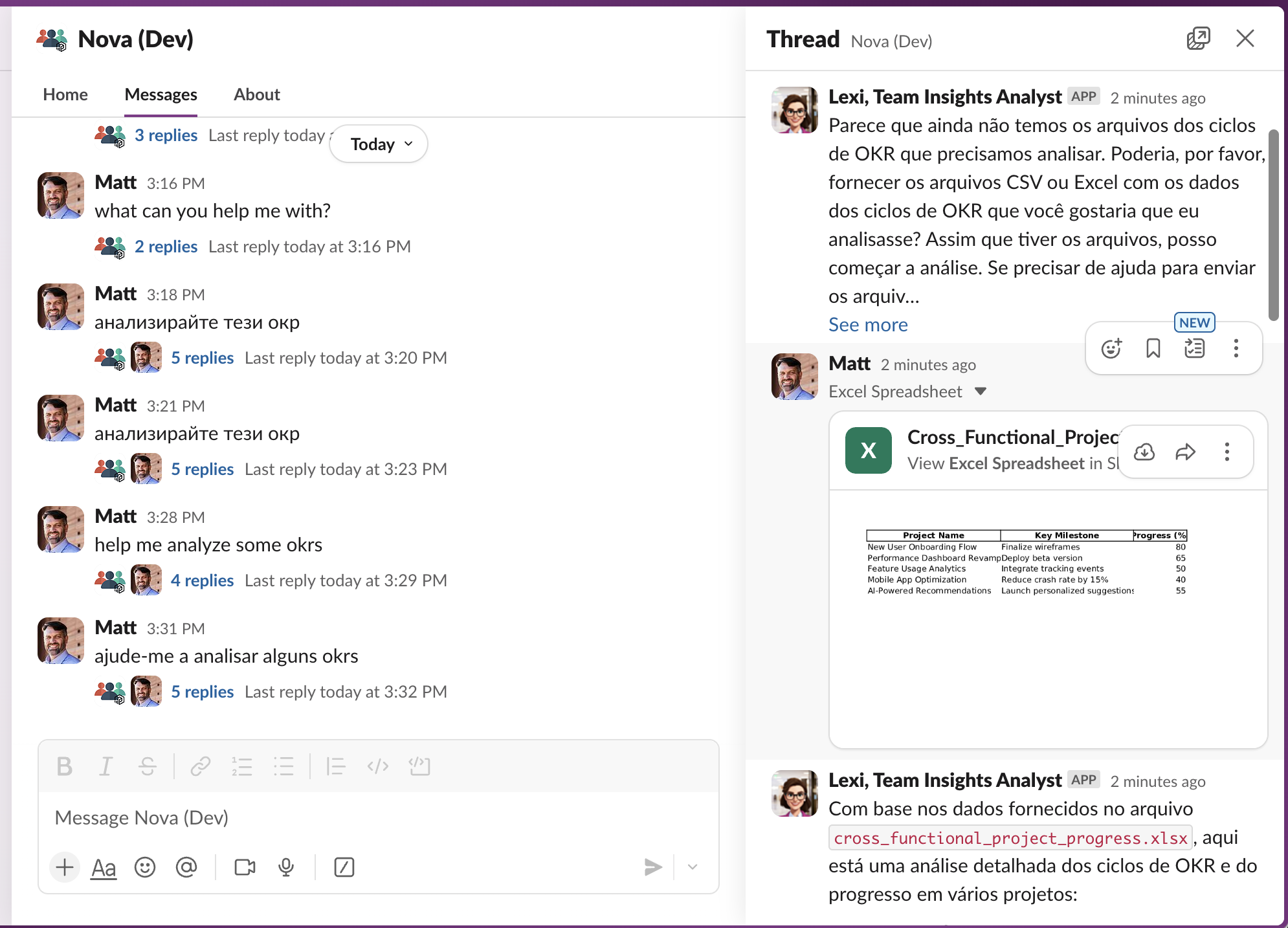
After you've set your location, any time you ask Nova to do anything in your native tongue, it'll respond the same way. It even uses this language to generate new policies or documents too! Check it out below.
👉 Still looking for more ways to work with Nova? Be sure to check out how Nova can help you by📄 Translating documents on the fly