Ask, reply and set to task by email
Last updated: February 26, 2025
Modern work doesn't just happen in the office (virtual or otherwise!), or even within a single cloud tool. With Nova, you can easily move your conversations back and forth across Slack, email or even a virtual office tool. Access your AI agents where and when it makes YOU the most productive.
Asking Nova questions by email
Every customer of Nova has their own unique email where you can send questions, assign tasks, or just interact with the agents. To get started, open up your favorite email client and send an email to:
nova+<workspace>@teamagents.io
For example, ours is nova+peoplelogic@teamagents.io. Within Slack, you can always find this address on the App home for Nova. If you're a Peoplelogic Impact customer, the workspace alias is the same as there. Be sure you're sending from an email address that has access to Nova!
Now, let's send a simple email - give it a subject, and then put a question in the body. For example:
How do I create an OKR in Impact?
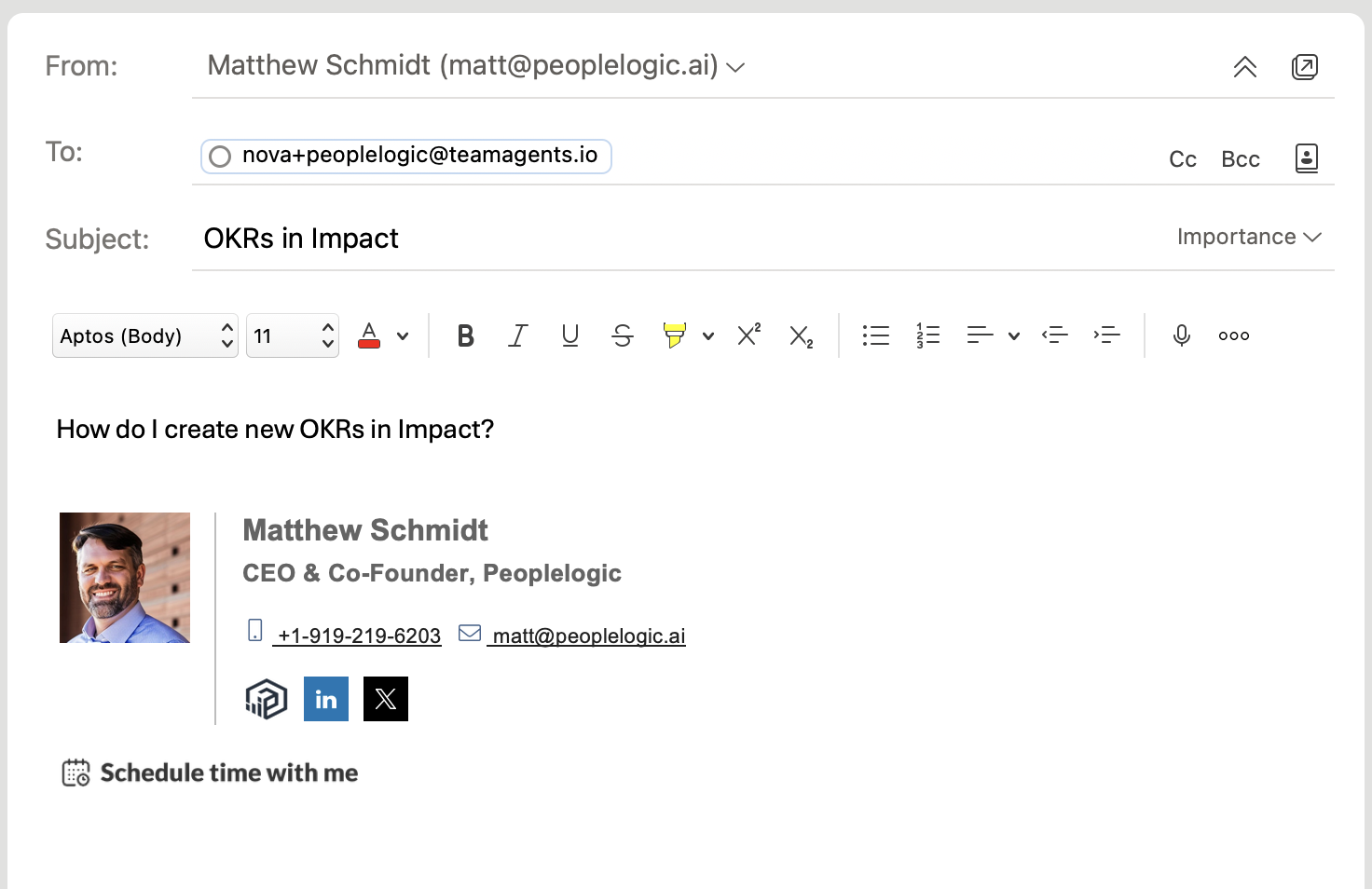
Now just hit send! After a short wait, you'll get a reply back from the agent best suited to help you. In this case it's like Kate (she is the expert on Impact after all!). Take a look:
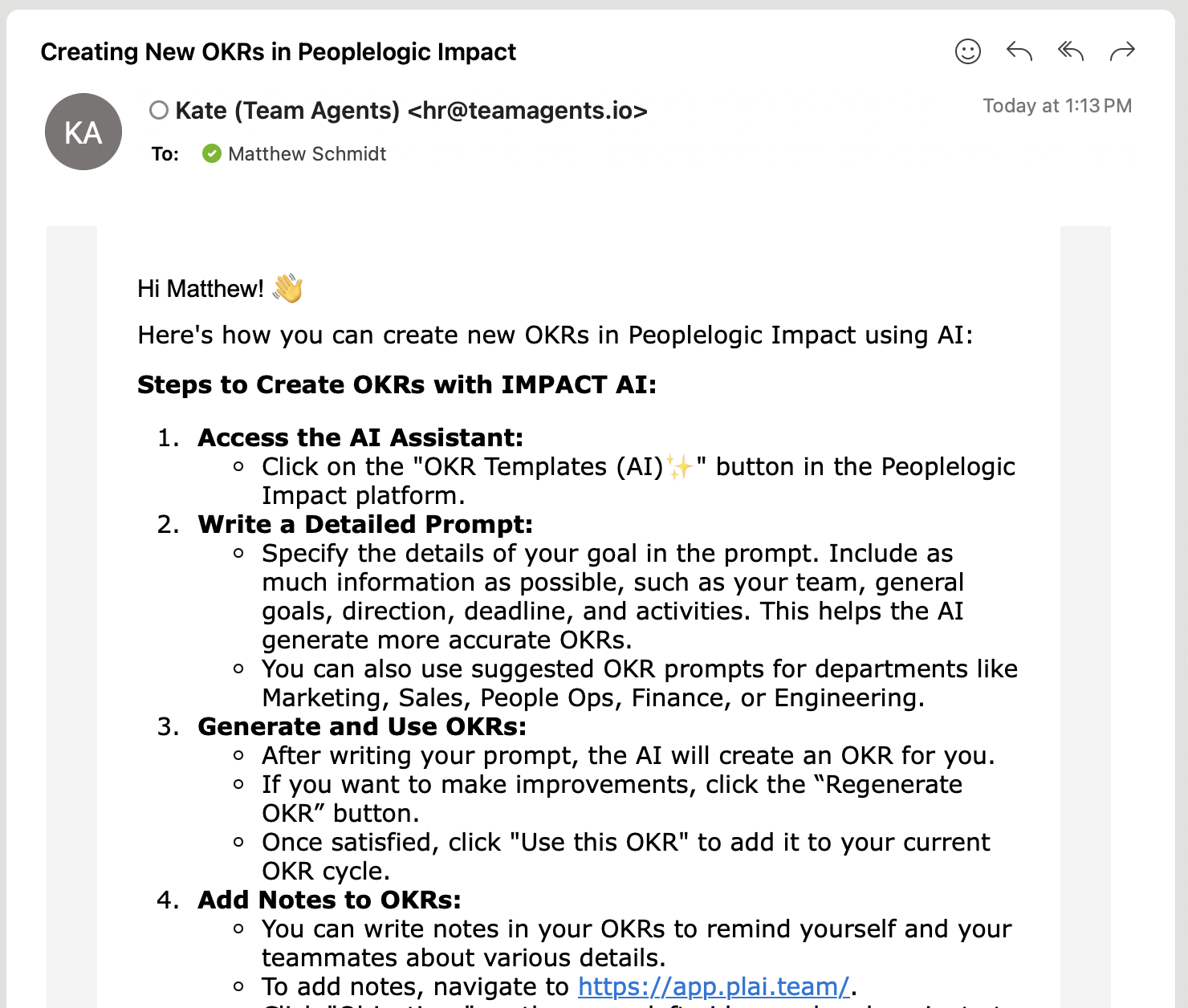
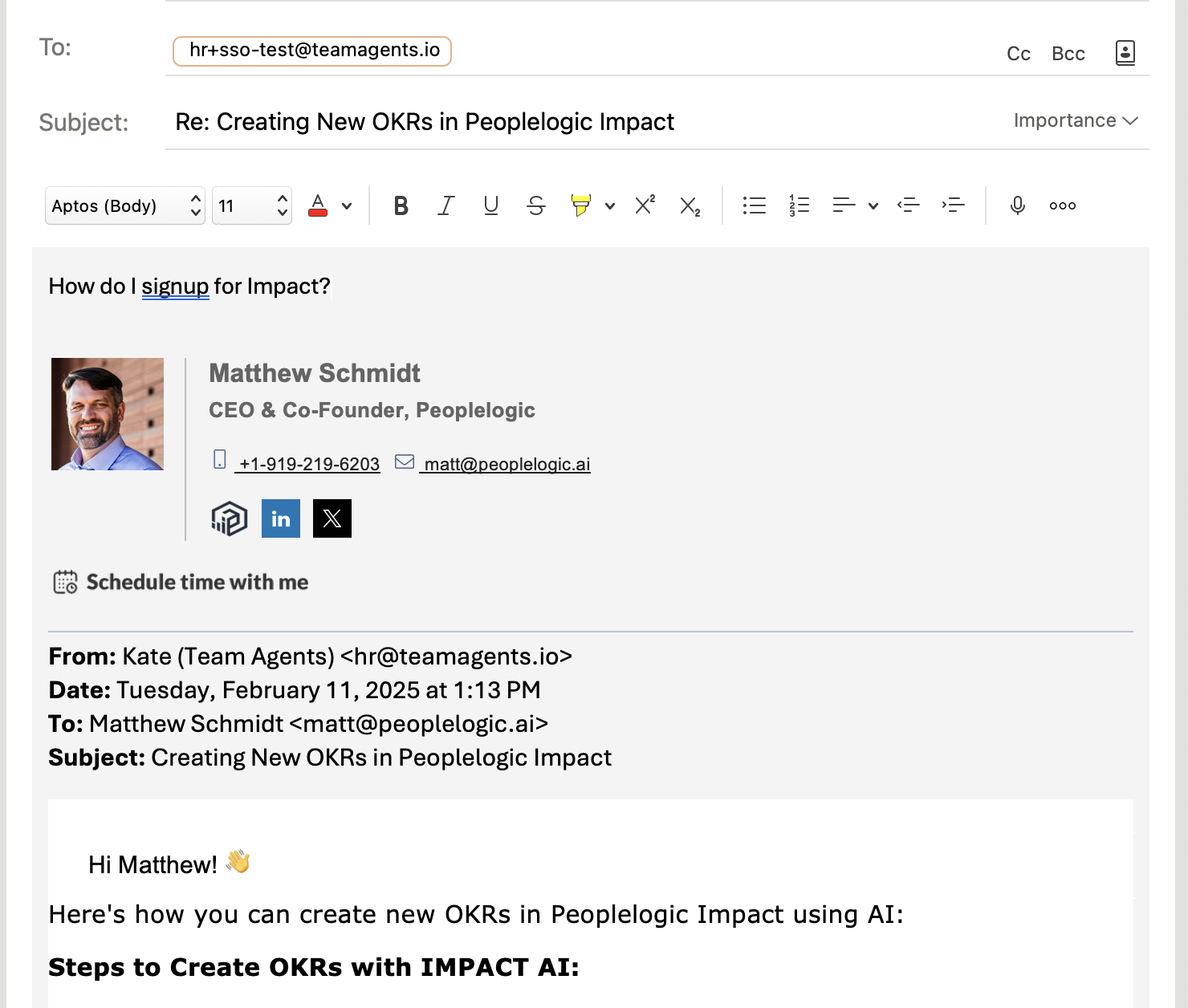
From here, you can just hit reply to ask some follow on questions and the agents will remember the thread. Let's see how that works.
Continuing conversations over email
During the course of working with the agents in Nova, you'll likely receive an email from one of them. This might be a briefing on an upcoming interview, a reminder that you need to update your OKRs or even the monthly "state of people" report. Just like when you start the conversation from a new email message to Nova, you can quickly type a reply back and ask clarifying questions or set the agents to a new task. It's just like working with a human member of your team over email!
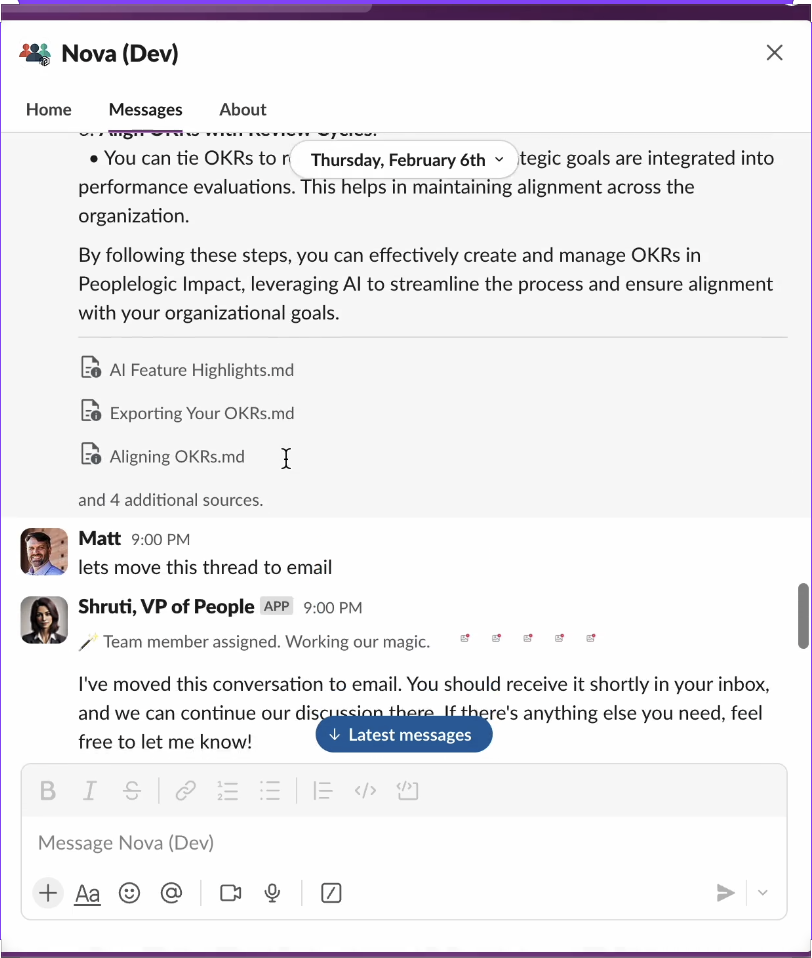
Moving conversations from Slack to Email
Finally, during our early user testing we found that it became really valuable to move a conversation from one channel to another or maybe you wanted to include an external partner in a reply with something that the Nova team knows about. Switching is as easy as telling Nova to move the conversation to email (and back again if you want!).